Whether you’re a first-time buyer, looking to upgrade your desktop computer, or shopping for a machine that fits the needs of your home office or family, you’re in the right place.
We will explore the world of the best home computers and present 11 of the best options for every budget. From budget PCs to high-performance desktops, there’s something for everyone.
I’ll break down what matters when choosing a computer, and share some hard-earned tips. By the time we’re done, you’ll have all the knowledge you need to choose the perfect home computer for your needs and budget.
Did you know that over 75% of households worldwide own a computer, with desktops still playing a key role in productivity, entertainment, and education?
Statistic ref: Statista.com
Budget-Friendly Options (Under $500)
If you’re looking for a family computer or a student computer, this range is perfect for everyday tasks, light gaming, and general use.

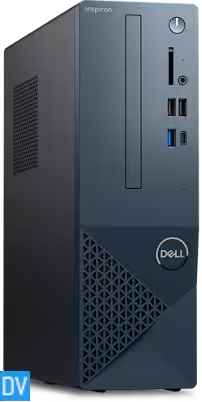
1) Best Overall Budget Pick: Dell Inspiron
Key Features
– Intel® Core™ i3 14100
– 8GB DDR5, 1x8GB, at 4400 MT/s
– 512GB M.2 PCIe NVMe Solid State Drive
– Windows 11 Home
– WiFi 6 and Bluetooth
Product Pros
Product Cons
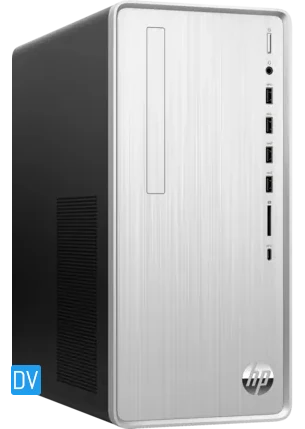
2) Runner-up Budget Option: HP Pavilion Desktop
Key Features
– AMD Ryzen™ 3 5300G
– 8GB DDR4 RAM
– 256GB SSD
– 1 TB 7200 rpm SATA HDD
– Windows 11 Home
Product Pros
Product Cons
Key Features to Look for in Budget Computers
Now, before you rush off to buy the cheapest computer you can find, let’s talk about what to look for in this price range:
1. Processor: Aim for at least an Intel Core i3 or AMD Ryzen 3. They’re entry-level, but they’ll get the job done for basic tasks.
2. RAM: 8GB is the minimum. Anything less, and you’ll be watching loading screens more often than your actual work.
3. Storage: SSDs are king, even if they’re smaller. A 256GB SSD will serve you better than a 1TB HDD in most cases.
4. Upgradability: Look for machines that allow you to add more RAM or storage later. Your future self will thank you.
5. Ports: Make sure it has enough USB ports for your needs.
Remember, buying a budget computer is all about managing expectations. You won’t be running the latest AAA games or editing 4K video, but these machines are more than capable for everyday tasks, and even some light multimedia work.
In the end, both the Dell and HP options prove that you don’t need to spend a fortune to get a capable home computer.
Mid-Range Marvels ($500 – $1000)
For those looking for a balance between affordability and performance, these mid-range desktop computers can handle more demanding tasks like light gaming, home theater PCs, and multitasking.

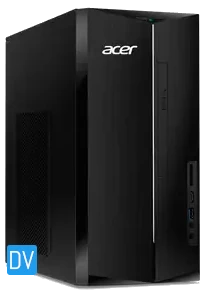
3) Best Mid-Range Computer For General Use: Acer Aspire TC Desktop
Key Features
– Intel® Core™ i5-13400 CPU Deca-core 1.8GHz
– 8GB DDR4 RAM
– 512GB SSD
– Windows 11 Home
Product Pros
Product Cons
4) Top Pick for Mid-Range Gaming: Dell XPS Desktop
For all you gamers out there who don’t want to sell a kidney for a gaming rig, let me introduce you to the Dell XPS Desktop.
This bad boy is proof that you don’t need to break the bank to get your game on.
Key Features
– 14th Gen Intel® Core™ i5-14600 processor
– 16GB DDR5, 2x8GB, 5600MT/s
– 512GB SSD
– NVIDIA® GeForce RTX™ 3050, 6 GB GDDR6
– Windows 11 Home
Product Pros
Product Cons
The Core i5-14600 paired with the GeForce RTX 3050 is a solid combination for gamers who want decent performance without spending a fortune.
Sure, it’s not going to give you ultra-settings on every game, but for titles like League of Legends, Rocket League, or even Call of Duty, at modest settings, this PC gets the job done.
Plus, with its expandable RAM slots, you can future-proof this rig if you ever want to upgrade down the line.
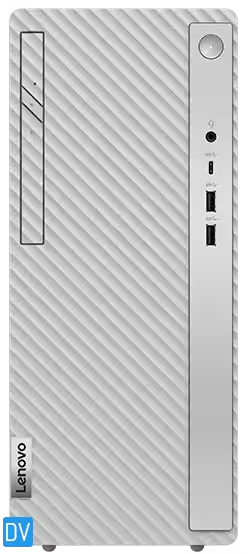
5) Best All-Arounder: Lenovo IdeaCentre Tower
Last but not least in the mid-range category is the Lenovo IdeaCentre Tower, a computer that’s built for versatility and performance without breaking a sweat—or your budget.
Key Features
– 14th Gen Intel® Core™ i5-14600 processor
– 16GB DDR5
– 512GB SSD
– Windows 11 Home
Product Pros
Product Cons
If you’re someone who wears multiple hats—working from home, doing a bit of photo or video editing, casual gaming, and streaming your favorite shows—the Lenovo IdeaCentre Tower is the all-arounder you’ve been looking for.
It’s got a fast processor that can handle intensive workloads without lagging, and 16GB of RAM to keep your multitasking dreams alive.
The integrated graphics won’t let you run the latest AAA games at high settings, but for everyday home computing and lighter tasks, it’s more than enough.
Now that we’ve covered the mid-range machines, let’s move on to the high-end tier for those ready to invest a little more into their computing experience.
High-Performance Picks ($1000 – $2000)
If you’re a power user, these desktops are ideal for video editing, running virtual machines, or intensive gaming.

6) Best High-End Computer for Productivity: HP Z2 Tower G9 Workstation
If productivity is your main focus—whether for work or creative projects—the HP Z2 Tower G9 Workstation is a game-changer.
Key Features
– Intel® Core™ i7 14700 5.4 GHz
– 32 GB DDR5-4800 MHz RAM (2 x 16 GB)
– 1 TB HP Z Turbo Drive PCIe® Gen4
– NVIDIA® RTX™ A2000 12GB
– Windows 11 Pro
Product Pros
Product Cons
This system isn’t just a computer—it’s a creative canvas. It’s a pricey investment, but if your work demands precision and you need a system that can keep up with heavy applications like Adobe Creative Suite, this is it.
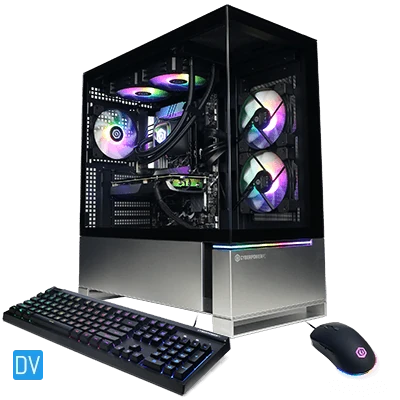
7) Top Choice for Serious Gamers: CyberPower Gaming PC GML 99632
For gamers looking to up their game, the CyberPower Gaming PC GML 99632 delivers everything you need for immersive, high-performance gaming without hitting the $2000 mark.
Key Features
– AMD Ryzen™ 7 Processor 8700F
– 32GB (16GBx2) DDR5-6000MHz RAM
– GeForce RTX™ 4070 Super 12GB GDDR6X GPU
– 2TB PCIe NVMe GEN4 M.2 SSD
Product Pros
Product Cons
This machine is a monster in both performance and cooling.
During testing, FPS on Counter Strike 2 was at 485, and it was smooth as butter—no stuttering, no lag, just frag.
The liquid cooling system also kept the rig cool and quiet, even after hours of gaming. With its Ryzen 7 and RTX 4070 combo, this PC is also perfect for streamers who need that extra processing power for smooth gameplay and streaming at the same time.
Features That Justify the Next Higher Price Tag
So, what exactly are you paying for when you step into this price range? For one, you’re getting more powerful processors, advanced cooling systems, and larger storage capacities.
These systems often come with high-end GPUs, making them ideal for gaming, 3D rendering, or intensive multitasking.
You’re also looking at premium build quality—many of the best home computers in this range come in durable cases with extra features like RGB lighting or advanced airflow systems to prevent overheating.
Premium Powerhouses ($2000+)
For those who need the best of the best, these premium computers offer everything from unmatched multi-monitor support to future-proof technology.
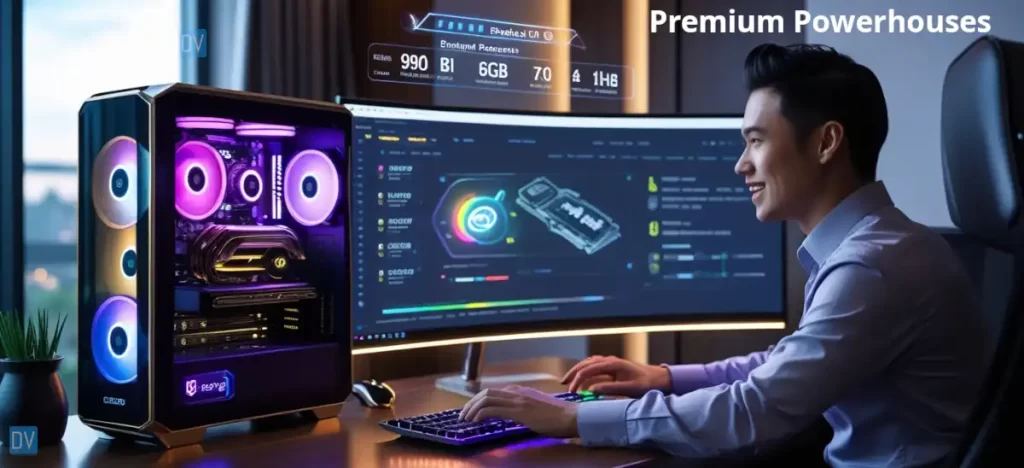
8) Ultimate Performance Desktop: Infinity 8800 Pro Gaming PC
The Infinity 8800 Pro Gaming PC is the definition of high-end, with a custom-built design that puts performance at the forefront.
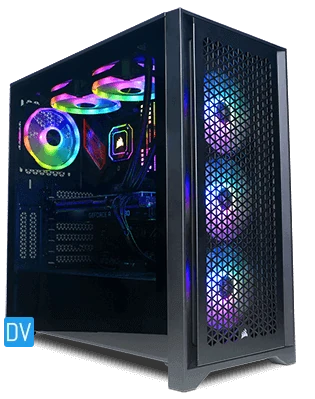
Key Features
– Intel® Core™ Ultra 9 Processor
– 32GB (16GBx2) DDR5/6400MHz RAM
– RTX™ 4070 Ti SUPER OC 16GB GPU
– 4TB NVMe SSD
Product Pros
Product Cons
This rig is a dream for anyone into extreme gaming, video production, or running intensive simulations. When I tried it with some 3D modeling software, the render times were nearly instantaneous, and the system didn’t even flinch.
The RTX 4070 Ti is one of the best GPUs, ensuring this desktop is future-proof for years to come.
9) Best Premium Computer: Apple Mac Pro Tower
Apple fans, rejoice. The Apple Mac Pro Tower takes the premium concept to new heights.
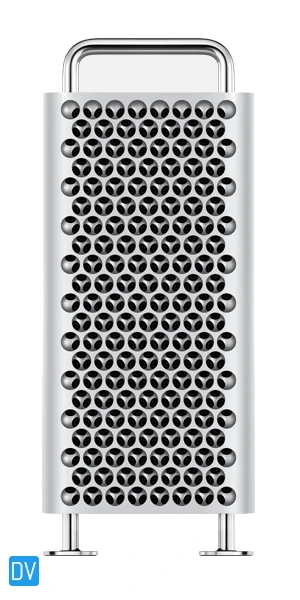
Image is for reference purpose
Key Features
– Apple M2 Ultra with 24-core CPU
– 64B unified memory
– 1TB SSD
– 60 Core GPU
– 32‑core Neural Engine
Product Pros
Product Cons
Apple’s M2 chip revolutionized its desktop performance, and this Mac Pro combines beautiful design with serious computing power.
It’s perfect for photo editing, video production, or even running music software like Logic Pro.
What really stands out is the stunning 6K Retina display (optional add-on), which delivers exceptional clarity and color accuracy.
When to Consider Investing in a Premium System
A premium system is not for everyone, but if your work or hobbies demand top performance, the investment is worth it.
Content creators, engineers, and hardcore gamers will benefit from the speed, efficiency, and reliability these machines provide.
These desktops are also highly future-proof, so even though the initial investment is steep, you won’t need to upgrade for many years.
Special Considerations
Some users have unique needs when it comes to their home computers. Whether it’s space-saving designs, energy efficiency, or creative capabilities, there are options that fit those specific requirements.

10) Best Computer for Small Spaces: Onyx Pro v9
Living in a small apartment? The Onyx Pro v9 (NUC24OXGv9) is a compact powerhouse designed for tight spaces.
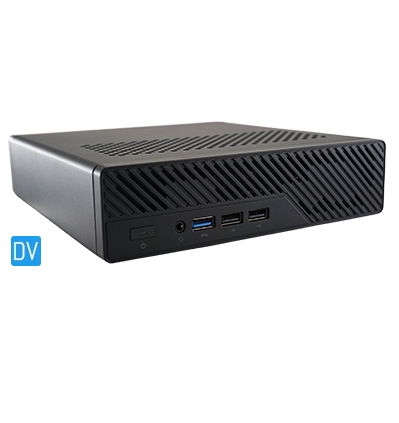
Image is for reference purpose
Key Features
– Intel® Core™ i9-13900H CPU
– 32GB RAM
– 4TB SSD
– Nvidia T1000 8GB GPU
Product Pros
Product Cons
This mini-PC delivers excellent performance in a tiny footprint. It’s ideal for small desks or cramped home offices, offering great processing power for work, media consumption, and light gaming.
Despite its size, it doesn’t skimp on connectivity, with multiple ports for monitors, keyboards, and other peripherals.
It is arguably one of the best home computers for small spaces.
11) Top Pick for Creative Professionals: CyberPower PC – Creator PC Ultimate
Creative professionals will love the CyberPower PC – Creator PC Ultimate, thanks to its performance and expandability.
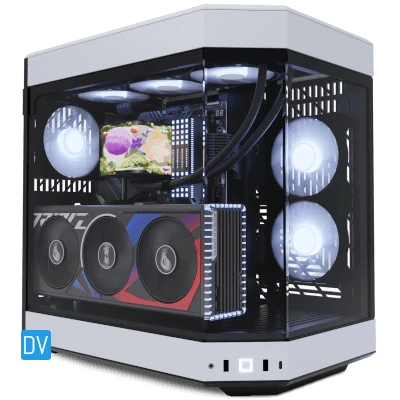
Key Features
– Intel® Core™ Ultra 9 CPU
– 64GB RAM
– GeForce RTX™ 4090 24GB GDDR6X GPU
– 2TB NVMe SSD
Product Pros
Product Cons
Whether you’re a video editor or a 3D animator, this desktop is built to handle demanding creative applications. It’s also highly customizable, so you can upgrade as your projects grow more complex.
How I Chose The Top Picks
I didn’t just look at prices; I considered essential aspects like computer processors, graphics cards, and RAM.
These components directly affect performance, especially if you’re using your computer for tasks like gaming, video editing, or programming:
1. Performance: Is the computer processor strong enough to handle everyday tasks or gaming?
2. Value for Money: Does the PC offer a good price-performance ratio?
3. User Reviews: I analyzed feedback from actual buyers to gauge computer longevity and satisfaction.
4. Build Quality: From design to noise levels and cooling systems, we ensured each pick is well-constructed.
5. Features and Upgradability: I looked at upgradeable computers, so you can add more RAM, storage options, or even upgrade the graphics card in the future.
6. Brand Reputation and Support: I included computer brands known for reliable tech support options and warranties.
I broke things down into four main price ranges for the best home computers:
- Budget-Friendly: Under $500 (perfect for basic tasks and light computing)
- Mid-Range: $500 – $1000 (great for everyday use and some light gaming)
- High-Performance: $1000 – $2000 (ideal for power users and serious gamers)
- Premium: $2000+ (for when you need all the bells and whistles, and then some)
How to Choose the Right Home Computer for You
Choosing the right computer depends on a few factors, and understanding your needs is the first step.
Factors to consider:
- The intended use of the computer
- Your budget
- The peripherals you plan to use
- The space you have for the PC and everything that’s connected to it
Assessing Your Needs
Consider what you’ll be using the computer for.
Are you gaming?
Do you need it for work or creative projects?
Casual users may only need a mid-range system, while gamers and content creators will benefit from a more powerful machine.
Understanding Key Specifications
Understand the importance of specifications such as CPU, RAM, and storage. For example, gamers should prioritize a strong GPU, while work-from-home professionals might focus on multi-core processors and larger SSDs.
Future-Proofing Your Purchase
It’s always smart to invest in a system with upgrade potential. Ensure your desktop has expandable RAM or storage slots so you can easily upgrade when needed.
Choosing the right computer is a balance between budget, performance, and your specific needs. From budget-friendly options to high-end machines, there’s a desktop for every user.
Now that we’ve covered all the options for the best home computers, it’s time to make your decision. Whether you’re working, gaming, or creating, picking the right computer will make all the difference in your experience.
I encourage you to enjoy the process, and if you still have questions, take a look at my other articles for more ideas.