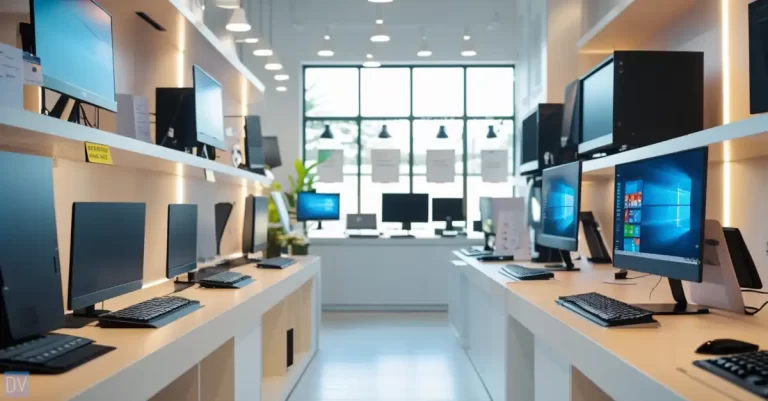
Did you know that all-in-one home computers account for a large percentage of desktop PC sales? There’s a good reason for that!
These sleek machines are some of the best home computers.
They have come a long way from their humble beginnings, offering the perfect blend of style, performance, and convenience for modern homes.
Whether you’re setting up a home office, creating a family computer station, or looking for a space-saving solution for your apartment, I’ve thoroughly tested and reviewed the latest all-in-one computers to help you make the best choice.
Let’s dive into the top contenders of 2026!




What Are All-in-One Home Computers?
Gone are the days of tangled cables, multiple components, and that massive tower taking up half my desk space.
An all-in-one computer is a streamlined marvel of tech engineering. Imagine your computer monitor and the entire computing system merged into one sleek, compact unit.
No separate tower, no mess of wires – just a single, elegant device that looks more like a sophisticated piece of modern art than a traditional computer.
All-in-one computers represent a game-changing evolution in home computing. They’re like the Swiss Army knife of the tech world – versatile, efficient, and smart.
The core magic of these machines lies in their integrated design. Everything you need – the motherboard, processor, memory, and storage – is cleverly tucked behind the display.
Some models even come with touchscreen capabilities, which feels like living in the future.
What Makes a Great All-in-One Computer?
There are a few factors that separate premium models from basic offerings.
When evaluating the top all-in-one desktop computers for home use. As an expert in desktop computing solutions, I’ve thoroughly assessed the essential features, performance benchmarks, and design elements contributing to a great all-in-one PC.
Display Quality:
At the heart of any all-in-one system is the display, which needs to deliver an immersive and visually appealing experience.
The minimum standard for a high-quality all-in-one home computer is a 24-inch screen, with a minimum HD (1080p) resolution.
However, premium 27-inch all-in-one computers with stunning 4K displays and professional-grade color accuracy are becoming increasingly popular among creative professionals.
Processing Power:
To handle everyday productivity tasks, modern web browsing, and even light creative workloads, the all-in-one home computer should be equipped with the latest generation Intel or AMD processors.
Multi-core CPUs provide the necessary performance for smooth system operation, fast application loading times, and efficient multitasking.
Memory and Storage:
A minimum of 8GB of RAM is recommended for a well-rounded all-in-one PC, ensuring the system can comfortably run multiple apps and browser tabs simultaneously without slowdowns.
For storage, solid-state drive (SSD) options deliver lightning-fast boot times and near-instant file access compared to traditional hard disk drives (HDDs).
Design Elements:
The physical design of an all-in-one desktop is a crucial consideration, as these systems are meant to seamlessly integrate into home environments.
Slim profile designs with a minimal footprint and clean, modern aesthetics are sought after. Integrated speakers, built-in webcams, and touchscreen capabilities on select models further enhance the experience.
Connectivity:
A full range of ports and wireless capabilities is essential for connecting peripheral devices.
Adding support for external storage and enabling smart home integration.
All-in-one computers should include a good selection of USB ports, HDMI outputs, Ethernet jacks, and support for the latest WiFi standard and Bluetooth connectivity.
Build Quality:
Beyond the core specifications, the overall build quality and reliability of an all-in-one desktop are important.
Factors such as desktop acoustics, efficient cooling systems, and durable construction contribute to the long-term viability and overall satisfaction. These sleek integrated computer systems need to be durable.
With these key criteria in mind – from display excellence and processing prowess to thoughtful design and robust construction – you can identify the all-in-one desktop computers that will complete your home computing experience.
Let’s break down what makes these computers so special:
• Space-Saving Superstars: No more bulky towers or multiple components.
• Sleek Aesthetics: They look like something straight out of a minimalist design magazine.
• Easy Setup: Plug in, turn on, and you’re ready to rock. It’s that simple.
• Perfect for Various Spaces: Whether you’re working in a tiny apartment or a spacious home office, all-in-one computers adapt like champions.
From my own experience, transitioning to an all-in-one computer felt like upgrading from a clunky old sedan to a smooth, modern electric car. The performance boost, the clean look, the simplicity – it was transformative.
Pro tip: When shopping, don’t just look at the looks. Performance matters! Check the processor, RAM, and graphics capabilities. An all-in-one might look gorgeous, but you want it to be a powerhouse too.
Top 5 All-in-One Computers Compared
Key ranking factors used to select the top 5 AIO desktop computers:
Pro tip: These are the main aspects of an all-in-one computer that you should be looking for when deciding on a purchase.

Performance Metrics:
Detailed processor performance and graphics capabilities testing.
Display Comparison:
Screen size options (24-inch vs 27-inch displays), resolution quality.
Value Assessment:
Price ranges from budget to premium segments.
Design Analysis:
Evaluation of computer aesthetics and workspace organization impact.
Versatility Testing:
Performance in video editing, photo editing, and gaming scenarios.
Energy Efficiency:
Power consumption measurements and energy efficiency ratings.
Sound Quality:
Built-in speaker performance for home entertainment system usage.
Best All-in-One Home Computers for Different Needs
Not all computers are created equal.
For the budget-conscious crowd, there are some killer budget-friendly options that won’t make your wallet cry.
Brands like Lenovo and HP offer solid performers under $600 that can handle everyday tasks like a champ. These aren’t top-of-the-line machines, but they’ll get you through emails, web browsing, and light work without breaking a sweat.
Creative professionals – if you’re into graphic design, video editing, or creative work, you’ll want something with serious muscle.
Look for models with dedicated graphics cards, plenty of RAM, and high-resolution displays. The Apple iMac and Dell XPS series are absolute beasts in this category.
Families need something versatile and durable. You want a computer that can handle homework, Netflix binges, and the occasional sticky finger. Look for:
• Touchscreen capabilities
• Robust build quality
• Parental control options
• Multiple user profiles
• Good webcam for video calls
For the minimalist home office warriors, size and design matter. Slim models from brands like Microsoft and Apple offer incredible performance in compact packages. These are the ninjas of the computer world – powerful but unobtrusive.
Gaming might not be the first thing you think of with all-in-one computers, but some models are surprisingly capable. Look for models with dedicated graphics cards and high refresh rates.
My personal recommendation? Don’t just follow the crowd. Your computer should fit your unique needs like a glove. Take time to research, read reviews, and if possible, test before buying.
Pro tip: Consider future-proofing. Spending a bit more now can save you money in the long run by delaying your next upgrade.
Performance and Specifications Breakdown
Think of computer specs like a car’s engine. You don’t need to know every tiny detail, but understanding the basics can save you from a lemon of a purchase.

Processors are the heart of any computer.
Intel and AMD continue their epic battle for computing supremacy. Intel’s latest generations offer incredible single-core performance, while AMD shines with multi-core capabilities. For most home users, either will handle your daily tasks like a dream.
RAM is your computer’s short-term memory. Think of it like counter space in a kitchen. More space means you can juggle more tasks at once. Here’s a quick breakdown:
• 8GB: Basic browsing and light work
• 16GB: Smooth multitasking, light creative work
• 32GB: Power users, video editing, serious multitasking
Graphics capabilities have come a long way. Integrated graphics used to be a joke, but now they’re impressive. For casual users, integrated graphics from Intel or AMD are more than enough.
Gamers and creative pros might want to look at dedicated graphics cards from NVIDIA or AMD.
Storage is where things get interesting. SSDs (Solid State Drives) are the gold standard now. They’re faster, more reliable, and silent compared to old-school hard drives. Look for:
• Minimum 512GB for basic use
• 512GB – 1TB for most home users
• Cloud storage options as a bonus
Display technology is a game-changer. 4K screens are becoming standard, offering crystal-clear images that’ll make your eyes happy. Touch capabilities are a nice bonus, especially for creative work or family-friendly computers.
Pro tip: Don’t get hung up on perfect specs. A computer that feels right and meets your needs is more important than having the absolute highest numbers on paper.
Remember, these specs are just numbers until you actually use the computer. The real magic happens when you start working, playing, and creating!
Budget Considerations and Value Proposition
Money talks, but in the world of all-in-one computers, it doesn’t have to scream. Let me break down the financial side of things in a way that won’t make your wallet run and hide.
Budget models start around $400-$600, mid-range options sit between $700-$1,200, and high-end powerhouses can climb to $2,000 and beyond. But here’s the secret: expensive doesn’t always mean better.
Cost vs. performance is a delicate dance. You want a computer that gives you bang for your buck without feeling like you’ve compromised.
Here’s a quick breakdown:
• Budget Computers: Ideal for basic tasks, web browsing, and light work
• Mid-Range: Great for most home users, smooth multitasking
• High-End: Perfect for creative professionals, intensive tasks
Long-term value is where smart buyers win. A slightly more expensive computer with better specs can save you money down the line. Cheaper isn’t always cheaper if you’re replacing it every two years.
Warranty and support are your safety net.
What to look for:
• Minimum 1-year warranty
• Manufacturer support
• Potential extended warranty options
• Technical support availability
Cost-saving tips that’ll make your accountant proud:
• Buy during sales events
• Consider last year’s models
• Look for refurbished options from reputable sellers
• Check for student or professional discounts
Pro tip: Don’t just look at the price tag. Calculate the cost per year of use. A $1,000 computer that lasts five years is cheaper than a $500 computer you’ll replace every two years.
Dell

Dell All-In-One
Best for home office
Product Pros
Product Cons
iMac
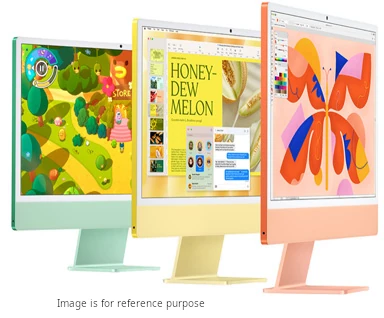
iMac All-In-One
Best for design professionals
Product Pros
Product Cons
HP

HP All-In-One
Best for work
Product Pros
Product Cons
Lenovo

Lenovo All-In-One
Best for students
Product Pros
Product Cons
Asus

Asus All-In-One
Best for gamers
Product Pros
Product Cons
Final Thoughts
Remember, your computer is an investment in your productivity, creativity, and entertainment. Choose wisely, but don’t stress too much.
The perfect computer is the one that makes your life easier.