

Did you know that mini PCs now account for over 15% of all desktop computer sales worldwide?
These tiny powerhouses are revolutionizing home office computer setup options everywhere.
As someone who’s transformed multiple living spaces with these compact machines, I can tell you firsthand that mini PCs for home use are the future of personal computing!
Whether you’re creating an entertainment center, a clutter-free workspace, or a family computer station, these versatile mini desktop computers deliver impressive performance while freeing up valuable space and reducing energy costs.
Let’s explore the perfect solution for your needs!
(Statistic ref: Statista.com)
IN THIS GUIDE
What Makes Mini PCs Ideal for Home Use?
As someone who’s been working with computers for over 20 years, I’ve watched mini desktop computers evolve from novelty items to essential home devices. Let me tell you, the transformation has been remarkable!
When I first brought a tiny PC solution into my living room, I was skeptical about whether such a small device could replace my bulky tower. The primary advantage that converted me was the incredible space efficiency.
These compact desktop computers take up a fraction of the space of traditional desktops.
I’ve found that mini PCs for small spaces consume significantly less power than their larger counterparts. My electricity bill noticeably decreased after making the switch!
Most energy-efficient mini PCs use between 15-65 watts during operation, compared to 200-500 watts for standard desktops. That’s not just good for your wallet; it’s better for the planet too.
One thing that surprised me was how quiet these little machines are. My old tower sounded like a jet engine during video rendering, but my quiet mini computer runs with just a gentle hum. This makes them perfect for noise-sensitive environments like bedrooms or living rooms where you’re trying to watch a movie.
The versatility in placement options has been a game-changer for my home setup. I’ve experimented with different configurations—from having it on my desk to mounting it behind my monitor using a tiny computer mounting option. Currently, I have it tucked neatly in my entertainment center, connected to my TV for a clean, cable-free look.
Don’t underestimate the aesthetic appeal either! Modern small desktop aesthetic design choices blend seamlessly with home decor. My minimalist black box sits almost invisibly in my living room, a far cry from the blinking, bulky tower that used to dominate my office space.
Top Mini PC Categories for Different Home Needs
Over the years, I’ve recommended different types of mini computers for family use depending on what people need. There’s no one-size-fits-all approach.
For my movie-loving friends, I always point them toward dedicated media center options. These compact media center computers excel at streaming content and managing your digital library.
I set up my brother-in-law with an HTPC mini system that transformed his living room experience. He can now stream Netflix in 4K while simultaneously running Plex to serve media throughout his home.
When I upgrade my home office setup, I opted for a work-focused mini computer for home office with plenty of RAM and a decent processor.
It handles my video calls flawlessly, even with multiple browser tabs and applications running. The key was finding one with good mini PC WiFi capabilities since I needed a reliable internet connection for my remote work.
For households with multiple users, I’ve seen great success with mini computers for students and other family members who share the device. My neighbor’s family of four shares a centrally-located mini desktop for everyday use, with separate user accounts for parents and kids. The compact size means it doesn’t dominate their family space.
Don’t think you have to give up gaming entirely!
While they won’t replace a high-end gaming rig, compact gaming mini PCs have come a long way. These small devices and handle titles like Fortnite and Minecraft, with surprisingly good framerates. The latest models with dedicated graphics can handle many popular titles at medium settings.
I’ve also been experimenting with using a tiny computer for smart homes as a central hub. With the right connections, these devices can control your lighting, security, thermostats, and more. The small form factor makes them easy to tuck away while they quietly manage your connected home.
Key Specifications to Consider When Choosing a Mini PC
I know how overwhelming the specs can be for newcomers when choosing a mini PC. Let me break down what really matters based on my experience.
First, don’t skimp on the processor!
The mini PC processors determine how quickly your computer handles tasks. For basic web browsing and document editing, an Intel Core i3 or AMD Ryzen 3 will suffice.
However, if you’re like me and regularly run multiple applications or do any video editing, invest in at least an i5/Ryzen 5 or better. I learned this lesson the hard way when I tried to edit my vacation videos on an underpowered system!
RAM requirements have increased over the years. I wouldn’t recommend anything less than 8GB for a smooth experience with today’s applications. My current setup has 16GB, which provides plenty of headroom for multitasking.
When it comes to mini desktop RAM requirements, remember it’s often one of the easiest components to upgrade later.
For storage, I’m a huge advocate for SSDs in small form factor computers. The performance difference compared to traditional hard drives is night and day.
I suggest at least 256GB SSD for most users, though I personally use a 1TB SSD for my small desktop storage options since I work with larger files.
Graphics capabilities matter more than you might expect, even for non-gamers. Integrated graphics have improved dramatically, but if you’ll be doing any design work or gaming, look for a mini PC with dedicated graphics.
My friend, who does occasional Photoshop work, found that mini computer graphics performance made a significant difference in her workflow.
Don’t overlook connectivity!
Make sure your mini PC port selection matches your needs. I recommend at least 4 USB ports (with some USB 3.0 or better), HDMI output, and audio jacks. For my setup, having mini desktop HDMI capabilities that support 4K output was essential for my large monitor.
Budget Considerations and Price-to-Performance Analysis
Don’t blow your budget on a high-end mini desktop that I didn’t need!
For basic home computing tasks like email, web browsing, and document editing, affordable mini computers in the $200-$300 range work well. These budget options typically feature Celeron or Pentium processors with 4-8GB of RAM and modest storage (don’t go for the 4GB of RAM – Remember 8GB minimum.
Mid-range options between $300-$600 offer the best mini PC value proposition for most home users. The best mini PCs for home use in my experience.
If you’re a power user like my graphic designer friend, you might need to look at high-performance models above $600. Her small form factor performance metrics requirements included an i7 processor and a dedicated graphics card for running Adobe Creative Suite.
While expensive, these premium mini PCs still cost less than comparable full-sized desktops.
Consider long-term value as well. Some mini desktop models offer upgrade paths for RAM and storage, potentially extending their useful life.
I was able to breathe new life into my 3-year-old system with a simple RAM upgrade when it started feeling sluggish with newer applications.
The energy savings shouldn’t be overlooked either.
My tiny PC power consumption averages around 30 watts during normal use, compared to my old desktop which drew over 200 watts. Over several years, this can add up to substantial savings on your electricity bill.
I’ve calculated that I save about $50 annually just from the reduced power usage.
Setting Up Your Mini PC in a Home Environment
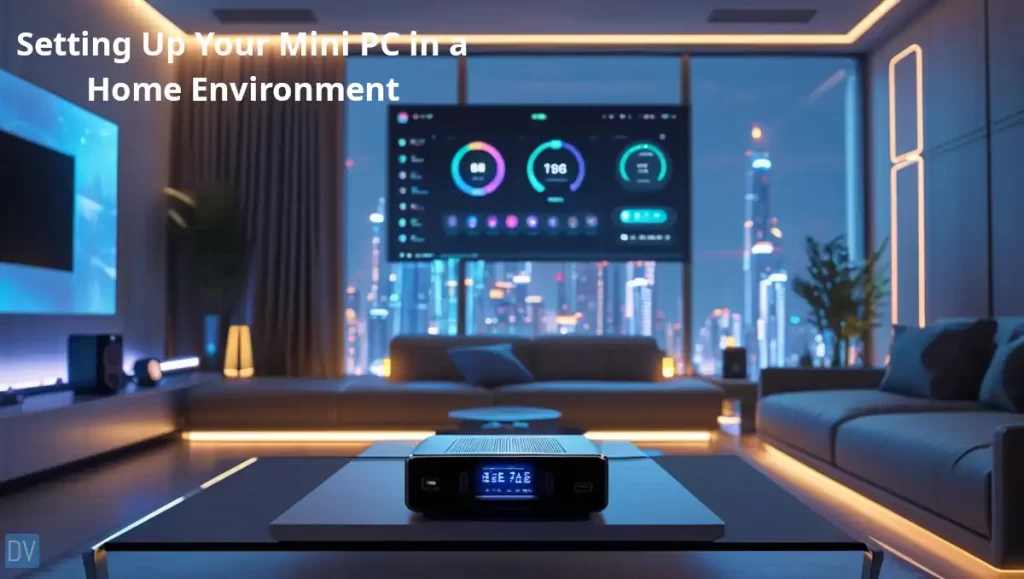
When I first brought home my mini computer, I spent hours rearranging my office trying to find the perfect spot. Here’s what I’ve learned about placement through trial and error.
For home offices, I’ve found that positioning your compact PC setup either on your desk or mounted behind your monitor works best.
I currently use a VESA mount for my compact computer VESA mounting setup, which completely frees up desk space. If desk space is tight, these tiny machines can even sit on a small shelf or bookcase nearby.
In living rooms, discretion is key. My living room PC sits horizontally in my entertainment center, looking more like a streaming box than a computer.
Some of my friends have mounted theirs directly to the back of their TVs using special brackets. Just be sure to consider mini PC cooling solutions – these small devices can generate heat in enclosed spaces.
Connectivity is crucial for a seamless experience. Use a combination of wireless peripherals and a small USB hub to keep things tidy. For my living room setup, I rely on mini PC bluetooth connectivity for my keyboard and mouse to eliminate cable clutter.
Temperature management deserves attention with these compact systems.
While setting up a friend’s tiny desktop computer, we realized it was overheating in his entertainment center cabinet. We solved this by drilling some small ventilation holes and adding tiny rubber feet to elevate it slightly for better airflow.
Many users underestimate the importance of small desktop heat management until their system starts randomly shutting down!
Software optimization makes a significant difference in performance. I found that removing unnecessary startup programs and adjusting power settings improved my experience substantially.
For living room use, I recommend software like Kodi or Plex that offers a “10-foot user interface” designed to be easily visible from couch distance.
My cable management journey was a learning experience! I now use short, right-angle adapters and cable clips to maintain a clean setup. Nothing ruins the aesthetic appeal of a compact desktop computer like a rat’s nest of cables around it.
Popular Mini PC Brands and Models for Home Use in 2025
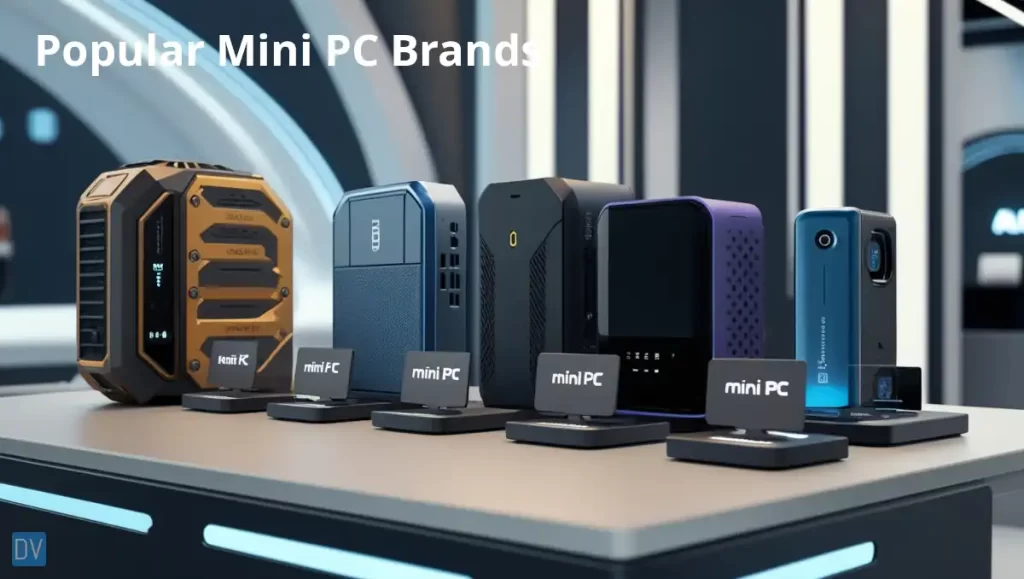
Over the years, I’ve had the opportunity to test dozens of mini computers from various manufacturers. The landscape in 2025 is more exciting than ever!
Intel’s NUC lineup continues to define the tiny PC solutions market. Their latest models offer impressive performance in incredibly small packages.
I’ve been particularly impressed with their NUC 13 Pro, which packs desktop-class performance into a box smaller than a paperback book. The balance of power and size makes them perfect mini PCs for family use.
Apple’s Mac mini series has seen significant improvements with their custom silicon. These machines offer exceptional performance-per-watt ratios and run incredibly cool and quiet.
My designer friend switched to a Mac mini and was blown away by how it handled her Adobe Creative Suite workload compared to her previous compact desktop computer.
I’ve found that HP, Dell, and Lenovo offer reliable options with good customer support. The HP EliteDesk Mini and Dell OptiPlex Micro series provide business-grade reliability in home-friendly packages.
My brother runs his home business on a Lenovo ThinkCentre Tiny and appreciates its robust build quality and thermal design.
Some emerging brands have caught my attention with innovative approaches. Companies like Minisforum and GEEKOM are offering surprisingly capable small form factor computers at competitive prices. I recently helped a neighbor set up a Minisforum unit that offered better connectivity options than similarly priced name-brand alternatives.
For home entertainment specifically, I’ve had great experiences with specialized models designed for media consumption. These compact media streaming computers often include features like IR receivers for remotes and optimized audio outputs.
When considering customizable versus pre-configured options, think about your comfort level with technology. My tech-savvy friends prefer barebones kits they can configure themselves, while others appreciate the simplicity of ready-to-use systems.
I generally recommend pre-configured options for family members and clients who aren’t interested in the technical details of their mini desktop computers.
Future-Proofing Your Home Mini PC Investment
Consider future needs when buying your mini computer!
Focus first on upgradeable components. Not all tiny computer models allow for easy upgrades, so this requires research before purchase.
My current system has accessible RAM slots and an additional M.2 slot for storage expansion. This upgradability has already saved me from having to replace the entire unit when I needed more memory.
Pay attention to emerging technologies and connection standards. I regretted not having USB-C ports on my previous mini desktop, which limited my peripheral options as newer devices adopted this standard. Consider a compact PC with Thunderbolt or at least USB 3.2 support to ensure compatibility with current and future devices.
Consider how your computing needs might evolve. When I started editing videos for websites, my basic mini PC struggled with the workload.
I now recommend getting slightly more powerful components than you currently need if your budget allows. The modest additional investment can significantly extend your small PC longevity.
Sustainability matters too. Some manufacturers offer more environmentally friendly options with recyclable materials and energy-efficient designs.
My latest energy-efficient mini PC is not only better for my electricity bill, but was designed with environmental impact in mind. I appreciate knowing that when it eventually reaches end-of-life, more components can be recycled.
The evolution of home computing needs has accelerated in recent years. With more people working and learning from home, demands on our personal computers have increased.
I’ve found that a small form factor computer with a good processor and upgrade options offers the best protection against rapidly changing requirements.
One final piece of advice from my experience: don’t overlook mini PC external display support capabilities. I initially bought a system that could only support one external monitor, which became limiting when I needed dual monitors for work projects. Ensure your chosen model supports the number and resolution of displays you might want to use in the future.
Final Thoughts
After years of experimenting with various compact desktop computers in my home and the homes of others, I’ve become a true believer in these space-saving powerhouses.
When selecting your perfect mini PC for home use, remember the following:
- Balance your current needs with potential future requirements.
- Consider how the device will integrate into your specific environment.
- Over-spec a little to future proof.
The mini computers of 2025 offer remarkable performance in increasingly smaller packages.
Remember the practical aspects of owning one of these beauties, power consumption, noise levels, and heat management all contribute to your long-term satisfaction with these small form factor computers.
I encourage you to assess your current computing needs and explore the world of mini PCs for family use. Whether you’re upgrading an existing system or diving into compact computing for the first time, these versatile devices represent the future of home computing.
Take the plunge into the mini PC revolution—your desk space, electric bill, and aesthetic sensibilities will thank you!
Still have questions or just want to learn more? Check out the FAQs below or my other articles.
FAQ’s
Is a mini PC good for a home server?
A mini pC is good for a home server. Consider your specific needs and get the appropriate mini PC to handle the intended workload.
What is the disadvantage of a mini PC?
The disadvantage of a mini PC is the performance, when compared to a desktop, and the portability when compared to a laptop. Mini PCs for home use in 2025 are great because they are capable of the workloads needed in a home situation.
Do you need a monitor for a Mini PC?
Yes, you do need a monitor for a mini PC. These machines are a direct replacement for a computer, in terms of the physical aspects, so they need the same peripherals as a desktop tower PC would need.
How much RAM do you need for a mini PC?
This will vary depending on your needs. For 2025, the minimum recommended RAM is 8GB.
Is a mini PC more powerful than a laptop?
Yes, a mini PC does have more computing power than a comparable laptop.
Can I leave mini PC on all the time?
Yes, a mini PC is capable of running 24/7. Considerations for this setup should be, cooling and power consumption.
Can I use my TV as a monitor for a mini PC?
Yes, as long as your TV and min PC have compatible video ports, you can connect your TV as the monitor for your mini PC.


